
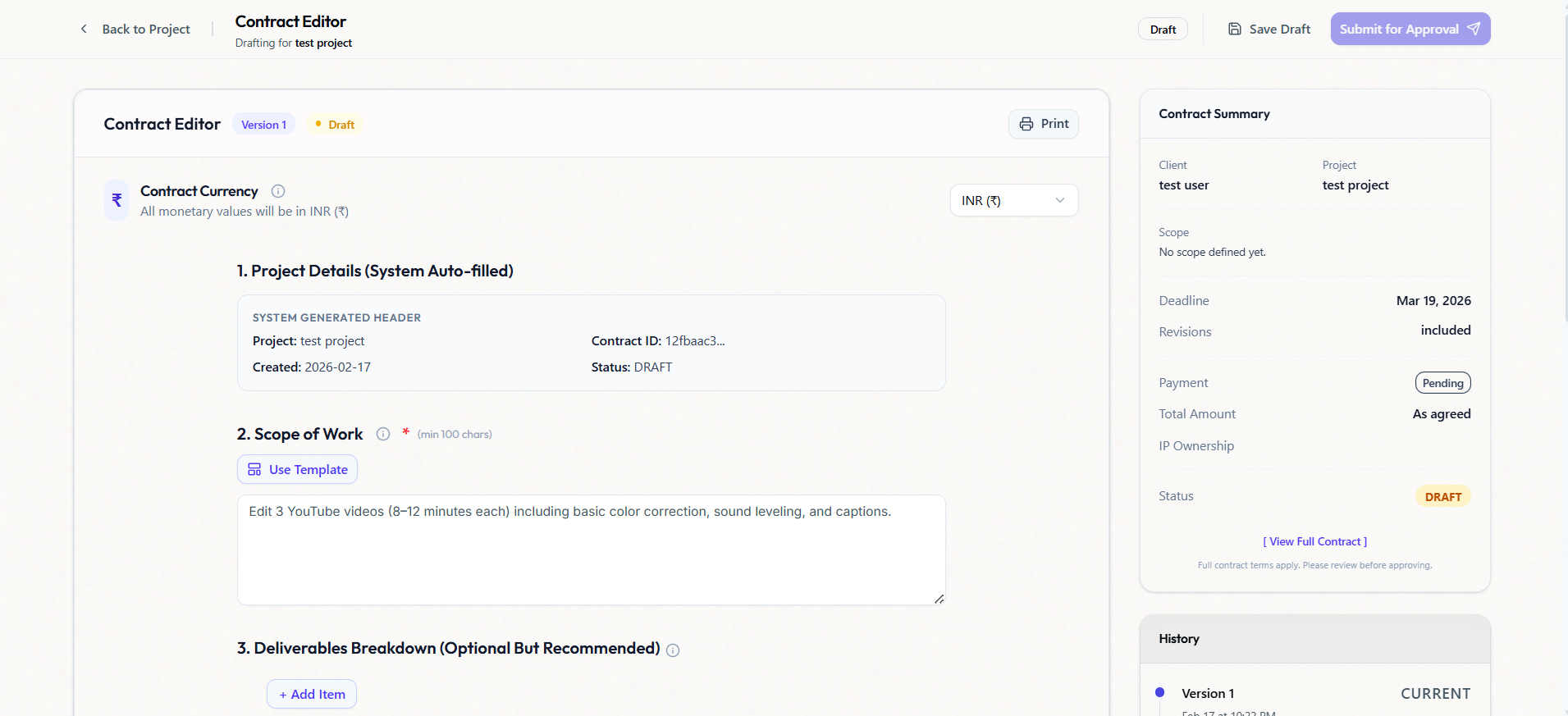
What is Freelancer Contract Software?
Freelancer contract software designed to help independent professionals generate legally binding agreements without hiring a lawyer. Unlike generic e-sign tools, Silquick's contract generator is part of a complete Freelancer CRM, meaning your contract terms (deliverables, deadlines, payments) are automatically tracked in your project dashboard.
Why standard contract templates fail
PDF templates are dead. You need a living agreement that tracks progress.
"Sounds good, proceed!" is legal, but vague. It doesn't define revision limits, payment milestones, or kill fees. It leaves you exposed.
Static PDFs get lost, require printers or separate e-sign tools, and don't update when the scope changes mid-project.
Digital contracts integrated with your project dashboard. Clients approve with one click, and milestones are tracked automatically.
Contract Features built for Freelancers
Instant Generation
Start with freelancer-vetted templates for Web Dev, Design, Marketing, and Writing. Customize in seconds.
Digital E-Signatures
Legally binding digital signatures. Clients can sign on their phone or laptop without creating an account.
Scope Protection
Clearly define deliverables. If a client asks for more, the contract makes it easy to point to the original scope.
Audit Trail
Every view, click, and approval is timestamped. You have a permanent record of client agreement.
Approval Workflows
Not just the start—use Silquick to get sign-off on individual milestones and final delivery.
Start to Finish
Your contract lives where your work lives. Seamlessly transition from 'Signed' to 'In Progress'.
Frequently Asked Questions
Everything you need to know about Silquick.