The smoothest handoff in freelance.
No client accounts. No forced logins. Just a beautiful, branded experience that gets you the information you need.
Send the Link
Generate a secure, single-use URL from your dashboard and drop it in your client's email or WhatsApp.
Client Submits
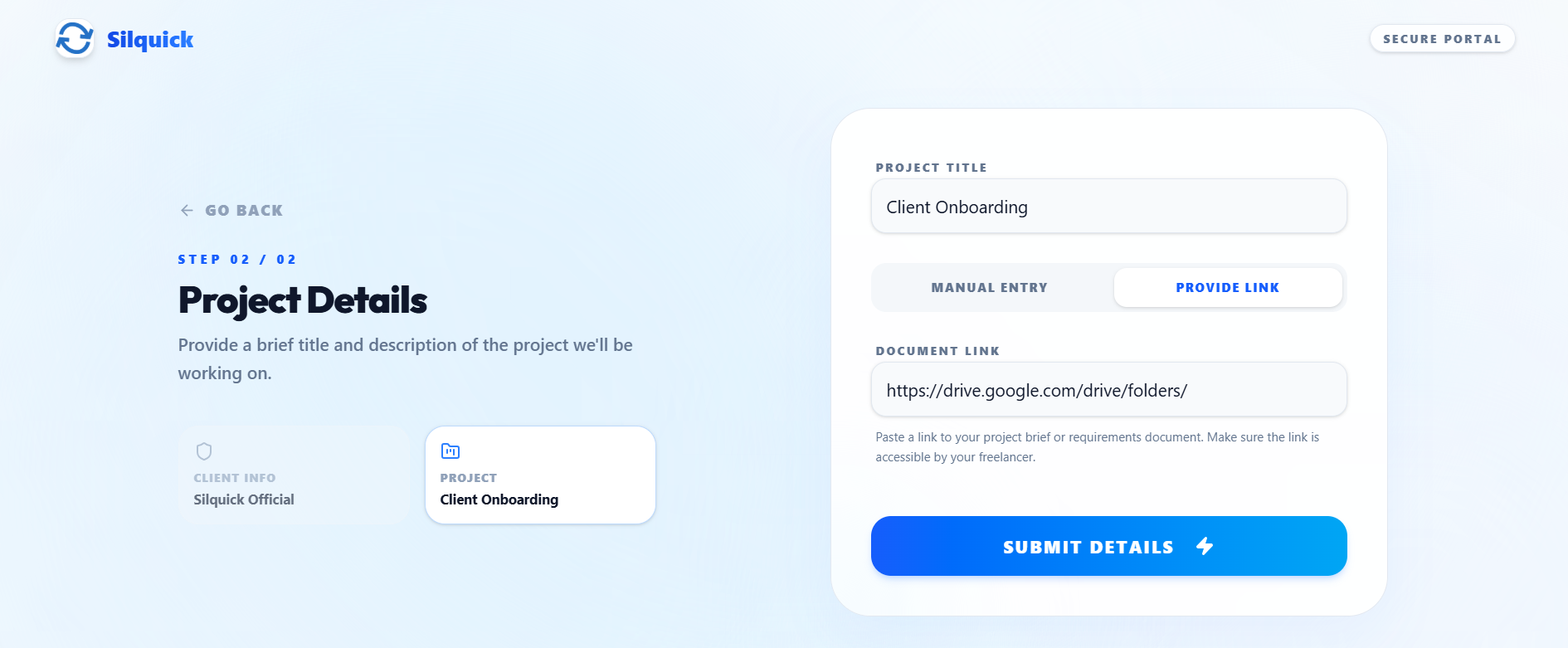
They open a stunning, branded form. They can type out a brief or just paste a link to their Notion or Google Drive doc.
You Verify
The submission lands in a pending queue. You review it, tweak the details, hit approve, and a contract is auto-generated.
Built for maximum conversion.
Every element of the form is designed so the client actually fills it out.
Accept External Documents
Don't force clients to re-type everything. If they already wrote a 10-page brief in Google Docs or an RFP in Notion, our smart form detects the URL and formats it perfectly for your review.
Zero Friction
Clients despise making new accounts just to pay you. Our tokenized system ensures total security without ever asking for a password.
Freelancer Control
You have the final say. Before any project clutters your workspace, it waits in a secure pending queue for your explicit approval.
Frequently Asked Questions
Everything you need to know about Silquick.